
If you ever wondered how some websites appear on Twitter with a nice image and text to go along with it when shared, I’m going to go over how you can have your website’s pages appear on twitter like that as well.
First you want to make sure that you already have the Yoast SEO plugin installed for your WordPress site.
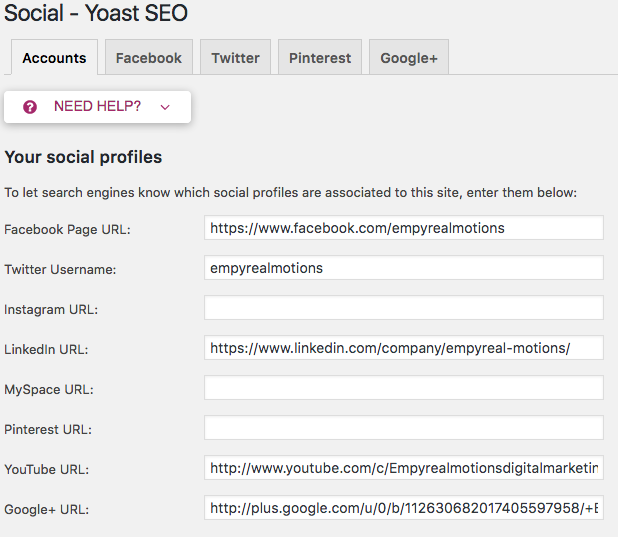
Next, you want to properly optimize your plugin so that it is integrated with your brand’s Twitter profile (and all other profiles - might as well).
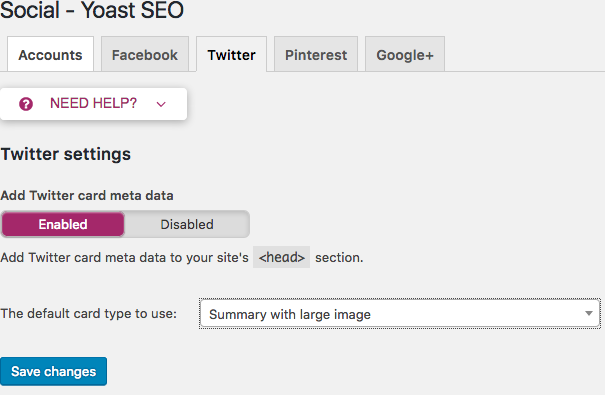
Next, you want to go to the Twitter tab and enable “Add Twitter card meta data” if it is not already enabled. You also want to be sure to set the default card type to use “Summary with large image”.
Or you can leave it at “Summary” if you don’t want images to appear along with your Twitter card. Which would be sort of odd.
After you’ve connected your Twitter profile to your Yoast SEO plugin successfully, you’ll now be able to see this option below your posts within the WordPress dashboard.
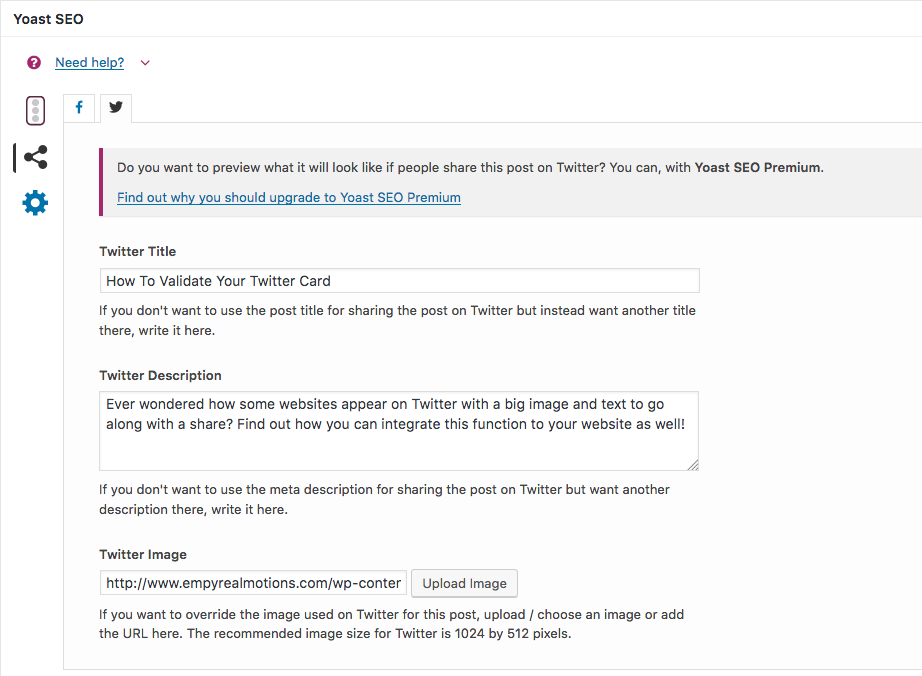
Insert your preferred title that you want showing up on your card, or you can leave it blank so that your post title is the title used. I just went ahead and inserted my post title in there anyway.
After you have your WordPress post ready to publish you now want to make sure that your new Twitter post will actually show your Twitter card properly so that you’re not wasting your time sharing your new post or page on Twitter!
To Validate your card you want to visit the Twitter card validator page here.
Insert your URL and wait to see that your card is appearing on the page the way you want it to. Be sure to include a picture that fits the recommended image size for Twitter of 1024×512 pixels for best results!
After all of that is completed. The end result will be a nice and professional looking Twitter card that will enable your site to not only look more appealing to your followers but also shareable and likeable. Or favoriteable? I don’t know. All of those.
Does your site have what it takes to rank on #Google? Get a Free #SEO Analysis by visiting: https://t.co/CtZTzkQEQE
— Dustin Gomez (@EmpyrealMotions) December 4, 2017
Please let us know if this article has been of help to you and if there is anything else that you would like us to mention or include for the benefit of our readers! Thanks a lot.
If you would like for us to validate your Twitter card for you (or have any other digital marketing needs), please fill out our form here with your details and we’ll be sure to get back to you with a quote as soon as possible.
Sign up for our newsletter!
Request a Free Quote
We offer professional SEO and digital marketing services that help brands increase their rankings and authority online organically.
More from our blog
See all posts




Recent Posts
- How To Validate Your Twitter Card December 4, 2017
- How to Go from Zero to Hundreds of Visitors Per Day! November 6, 2017
- Be The Authority in Your Industry! December 3, 2016

Great information, I was always curious about this but never really bothered looking into it. Glad I came across your post!